• Malicious sites

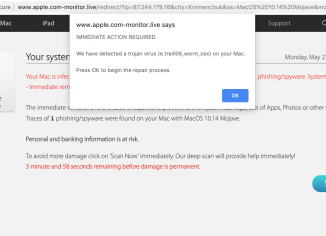
    Apple.com-monitor.live online scam removal (Mac).

    Apple.com-monitor.live pop-ups are nowadays very active in attacking Mac browsers – Google Chrome, Mozilla Firefox and Safari. In fact, they replace apple.com-fasting.live scary pop-ups previously described by us. You should be very careful not to treat these alerts as genuine notifications from Apple or AppleCare protection plan. There are cyber frauds standing behind them. Your system, unfortunately, is infected by the adware, this is why you see so many of these alerts to be randomly attacking your screen.

  • Malicious sites

    How to remove blatwalm.com redirect virus?

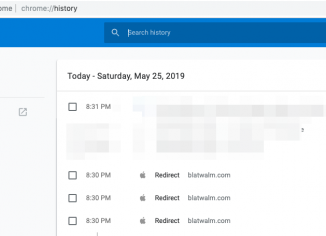
    Blatwalm.com is a site some people may notice to appear in their browsers, such as Google Chrome, Mozilla Firefox, Internet Explorer, Opera and others. Why do they see these alerts? Unfortunately, it is quite likely that your computer is now infected by some adware in control of your browser settings. So, the adware may be regularly forwarding you to plenty of really unsafe sites on the web. Blatwalm.com could be just of many other malicious places to which you may be brought. We recommend that you express caution and do not trust these totally dangerous redirections. They represent risk to…

  • Malicious sites

    How to remove muchlingreinri.pro notifications?

    Muchlingreinri.pro push notifications may be suddenly noticed in your browsers – Google Chrome, Mozilla Firefox and Internet Explorer. Based on the analysis we’ve performed, the problem occurs both with Windows and Mac computers. The role of these pop-ups is to force you to enable annoying push notifications by clicking on the “Allow” button. Sometimes the pop-up is even able to switch the browser into full-screen mode to make it impossible for you to close the window and thus to force you to enable these annoying notifications. We recommend that you do not treat muchlingreinri.pro pop-ups as genuine. You are strongly…

  • Malicious sites

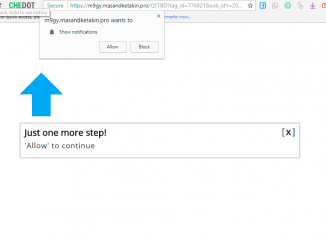
    Masandketakin.pro push notifications removal tools.

    Masandketakin.pro pop-ups are actually very annoying push notifications. Nowadays they keep attacking many computers and most popular browsers – Google Chrome, Mozilla Firefox and some other ones. When Masandketakin.pro pop-ups initially appear they will try to do all they can to make you click on their “Allow” button supposedly to be able to watch some video or to confirm that you are not a robot. The reality, of course, is that all these pop-ups have the sole thing in mind – to actually force you to enable intrusive push notifications. As a result, your browser will be hijacked and you…

  • Malicious sites

    How to remove tinhowsinutha.pro push notifications?

    The problem of tinhowsinutha.pro push notifications is currently happening with most popular browsers, such as Google Chrome, Mozilla Firefox, Opera and Internet Explorer. The pop-up represents problems for both Windows and Mac operating systems. Tinhowsinutha.pro alerts try to force you to enable very intrusive push notifications. When they initially come up they will tell you to click on their special “Allow” button. Because of that, the system may become hijacked with extremely intrusive pop-ups that will keep attacking your screen and distracting your attention essentially. We recommend that you refer to this tutorial below explaining how to fix your system…

  • Malicious sites

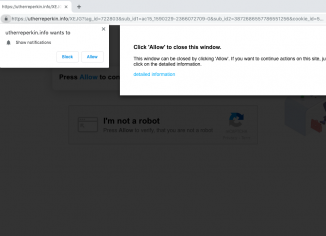
    Utherreperkin.info pop-up virus removal guide.

    Utherreperkin.info pop-up windows typically occur with all major browsers today – Google Chrome, Mozilla Firefox, Internet Explorer and Opera. The pop-ups are actually the example of a very intrusive attack that aims to hijack browsers with quite dangerous push notifications. Whenever the utherreperkin.info pop-up first appears, it tries to make you click on its “Allow” button. If users mistakenly do that they will automatically enable push notifications. So, they will start receiving such ads all the time. We recommend that you thoroughly follow this guide explaining how to fix your computer in an automatic way using the proven virus removal…

  • Malicious sites

    0sntp7dnrr.com redirect virus – how to remove it?

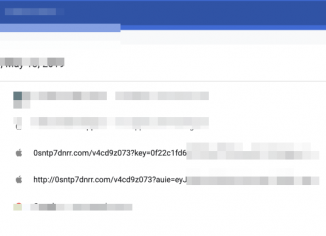
    0sntp7dnrr.com dangerous redirections may suddenly appear in your browser, both in Windows and Mac operating systems. Remember that ongoing appearance of such pop-up alerts is definitely a bad sign for your system. This fact actually means that your system is damaged with adware. The trouble is that many computer owners currently find it very difficult to locate this particular adware in their systems. One could check the list of all installed programs in the system, however, most likely he/she will not identify anything that is suspicious. Even if user do manages to find some unwanted application and get rid of…

  • Malicious sites

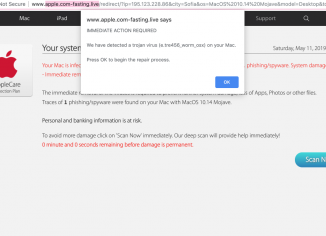
    Apple.com-fasting.live scam removal instructions (Mac).

    Apple.com-fasting.live is a dangerous pop-up window attacking Mac browsers – Google Chrome, Mozilla Firefox and Safari. The pop-up specifically bombards screens with its fake alerts claiming that your Mac is infected with some of the world’s most serious threats. This is done to scare you even more – to persuade you to eventually download and install rogue security software that can’t really help. Apple.com-fasting.live pop-ups are also referred to as fake AppleCare Protection Plan notifications. Use this guide that explains how to fix your computer automatically.

  • Malicious sites

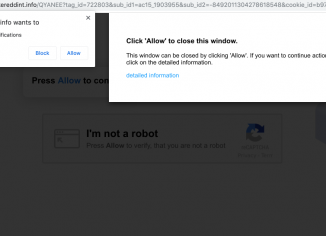
    How to remove bikereddint.info pop-up virus?

    Bikereddint.info are very dangerous and obviously annoyoing pop-ups that keep attacking many computers today. You must be very careful when seeing these pop-ups. They will keep telling you many times to click on the “Allow” buton, but you are strongly advised not to do that! Otherwise your browser will be hijacked by annoying push notifications from bikereddint.info website. There is a high probability that your system is now messed up by adware, so this is why you see so many annoying pop-ups currently.

  • Malicious sites

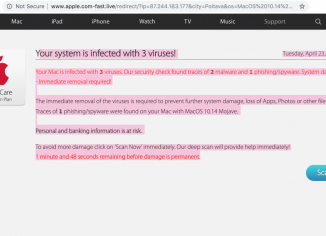
    How to remove apple.com-fast.live scam (Mac).

    Sometimes Mac users see suspicious apple.com-fast.live pop-ups that keep bombarding their browsers. This is the problem specifically for Mac browsers – Google Chrome, Mozilla Firefox and Safari. Note that the intention of these alerts is to force you into downloading and installing a lot of malicious programs, such as fake system optimization tools and even rogue security utilities. Be careful when you encounter such pop-ups. Do not interact with them. If you do so your browser may become hijacked and infected even more dramatically. Follow this guide to delete the infection from your system.