• Malicious sites

    Trenchcur.pro push notifications (removal solution).

    Trenchcur.pro pop-up alerts you now see in your browser prove that your computer is infected by adware. It is quite likely that this adware is hidden deeply in your system, so you cannot see it easily in the Control Panel. Or the adware may be formalized as some unwanted browser add-on (extension) that is spewing out such a great number of trenchcur.pro pop-ups. Make sure you follow this guide below that provides you with ways to delete adware from your system that causes trenchcur.pro multiple pop-ups in your workstation.

  • Malicious sites

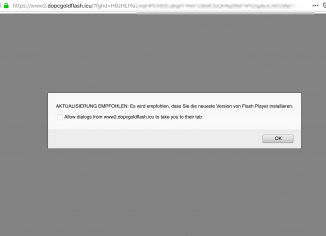
    Dopcgoldflash.icu pop-up virus (removal guide).

    Dopcgoldflash.icu is a site that typically aims to infect your computer with various kinds of potentially unwanted utilities. These could be some fake system optimization tools, adware, browser hijackers, etc. In either case it is strongly advise that you do not interact with dopcgoldflash.icu alerts. Do not update anything that they offer, do not install any programs that they suggest.

  • Malicious sites

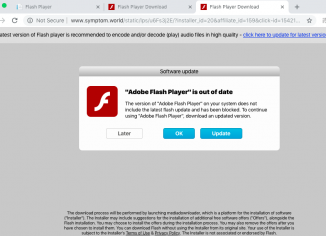
    Symptom.world fake update alert (removal guide).

    Symptom.world is a new very dangerous site that is actively involved in bombarding many computers with absolutely fake alerts telling you about the necessity to perform some updates of Adobe Flash Player. The reality, of course, is that there is no need for you to perform such updates at all. You ought to be very careful not to interact with these pop-ups, since their main mission is to force you to download and install various adware samples into your system. Follow this guide carefully that provides you with ways to remove malware fully from your computer in an automatic manner.

  • Malicious sites

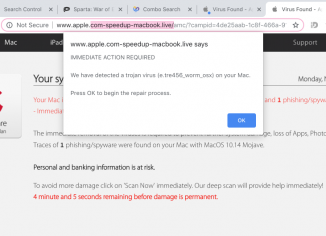
    Apple.com-speedup-macbook.live scam removal (Mac).

    Apple.com-speedup-macbook.live pop-ups may distract you when your Mac is infected with some nasty adware. The aim of all adware is to trick you wasting your funds, without rendering any decent products or services. Sometimes adware is in charge or producing various intrusive pop-up ads leading to dangerous web sites. In many cases adware uses scary techniques to trick users through fake technical support or custom service pop-up scam. Fake alerts from apple.com-repairing-macbook.live web site are the example of such scam. Beware of these fake alerts, they are not related to AppleCare Protection Plan. There are cyber frauds who want to…

  • Malicious sites

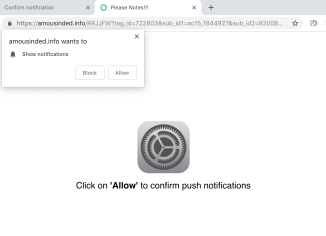
    Amousinded.info pop-up virus removal assistance.

    Amousinded.info annoying pop-ups may suddenly come up in your browser, both in Windows and Mac operating systems. According to our observation, they have been specifically attacking Google Chrome and Mozilla Firefox. Keep in mind that ongoing appearance of such pop-up alerts is definitely a bad sign for your system. This fact proves that your workstation is contaminated with adware. The trouble is that many computer owners currently find it very difficult to locate this particular adware in their systems. One could check the list of all installed programs in the system, however, most likely he/she will not identify anything that…

  • Malicious sites

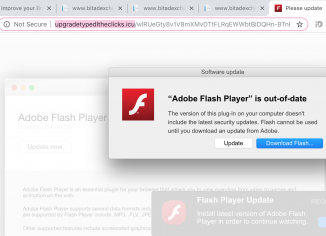
    Upgradetypedltheclicks.icu fake Adobe Flash Player update removal.

    Upgradetypedltheclicks.icu stands for the domain that is related to promoting various useless or at least potentially unwanted programs. Installation of these applications is carried out through fake Adobe Flash Player update offers. Some users think that this is some required update, whereas the reality is that there are hackers who stand behind these alerts who want to trick you into infecting your system with various junk applications. We strongly advise you to continue reading this guide that explains how to fix your system automatically by means of reliable anti-malware software.

  • Malicious sites

    D0p21g2fep.com redirect virus (removal tools).

    D0p21g2fep.com annoying pop-ups may suddenly come up in your browser, both in Windows and Mac operating systems. Keep in mind that ongoing appearance of such pop-up alerts is definitely a bad sign for your system. This fact proves that your workstation is contaminated with adware. The trouble is that many computer owners currently find it very difficult to locate this particular adware in their systems. One could check the list of all installed programs in the system, however, most likely he/she will not identify anything that is suspicious. Even if user do manages to find some unwanted application and get…

  • Malicious sites

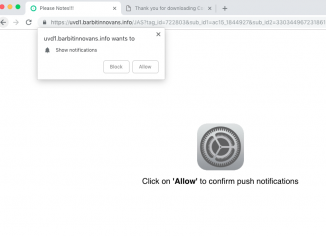
    Barbitinnovans.info push notifications – how to remove?

    Barbitinnovans.info pop-ups mainly occur with Google Chrome and Mozilla Firefox. Because of barbitinnovans.info pop-ups users may be forced to enable and allow annoying push notifications, also known as ‘show notifications’. In the light of this information, you are strongly advised not to click on any buttons as these pop-ups offer you. Stay away from clicking on Block or Allow, because in either cases annoying push notifications will be enabled. This guide will furnish you with information to remove adware completely from your browser by means of reliable anti-malware software.

  • Malicious sites

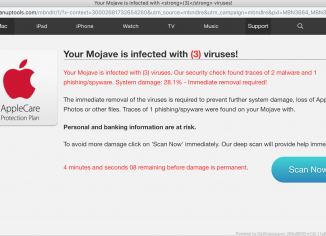
    ‘Your Mojave is infected with (3) viruses’ pop-up removal.

    ‘Your Mojave is infected with (3) viruses’ pop-ups come up when your Mac is damaged by MyShopCoupon adware. The aim of the adware is to trick you wasting your money, without rendering any decent products or services. Sometimes adware is in charge or producing various intrusive pop-up ads leading to dangerous web sites. In many cases adware uses scary techniques to trick users through fake technical support or custom service pop-up scam. Fake alerts from ‘Your Mojave is infected with (3) viruses’ web site are the example of such scam. This guide will provides you with tips to fix your…

  • Malicious sites

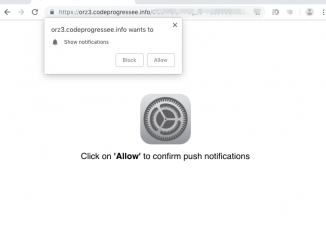
    Codeprogressee.info pop-up removal instructions.

    Codeprogressee.info annoying pop-ups may suddenly come up in your browser, both in Windows and Mac operating systems. Keep in mind that ongoing appearance of such pop-up alerts is definitely a bad sign for your system. This fact proves that your workstation is contaminated with adware. The trouble is that many computer owners currently find it very difficult to locate this particular adware in their systems. One could check the list of all installed applications in the system, however, most likely he/she will not identify anything that is suspicious. Even if user do manages to find some unwanted application and get…