• Malicious sites

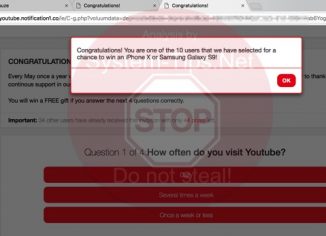
    Youtube.notification1.co survey alerts (removal guide).

    Youtube.notification1.co pop-up windows are quite active in attacking many computers today. The goal of all these pop-ups is to persuade you to share some of your personal information through forcing you to participate in various pseudo surveys. As a reward for you to complete such surveys, you’re promised by the pop-up to be rewarded in certain way, such as a chance to win iPhone X or something like that. In either case, you’re strongly recommended by us not to be involved in such surveys, since this is a trap for you. As we’ve mentioned above, hackers are simply trying to…

  • Malicious sites

    Scalablemapper.com fake Flash Player alert (removal tools).

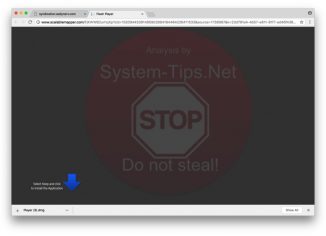
    Scalablemapper.com sudden alerts you have encountered in your browser recently are related to distribution of many scary notifications through many popular browsers. The aim of such pop-ups is to infect your system (both Windows and Mac) with a lot of other totally useless utilities, most likely fairly classified as adware, browser hijackers, fake system optimization tools and other potentially unwanted applications you definitely do not want. Furthermore, installing these programs which might be suggested by scalablemapper.com pop-ups typically harms your computer in general, both its hardware and software components.

  • Malicious sites

    Voxfind.com push notifications (removal instructions).

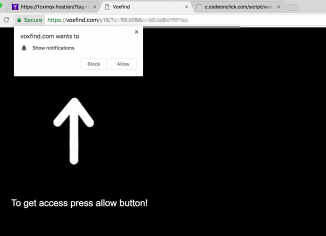
    Voxfind.com pop-up windows may unexpectedly appear in your browser. Notice that permanent appearance of such pop-up windows is truly a bad sign for your computer. This fact proves that your computer, either you use Windows or Mac, is infected with adware. The problem is that many computer owners currently find it very difficult to locate this particular adware in their systems. You may check the list of all installed programs in your system, however, most likely you will not find anything that is suspicious. Even if you do manage to find some unwanted program and get rid of it in…

  • Malicious sites

    4o64flb.com/watch?key redirect malware (removal guide).

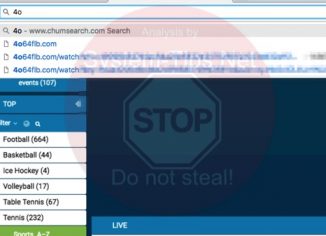
    4o64flb.com/watch?key is a dangerous domain currently related to causing numerous unwanted browser redirection issues on a permanent basis. These pop-ups are quite multiple, being all powered by presence of some nasty adware in your computer. In order to fully eliminate such pop-ups it’s surely mandatory that you delete the adware as their main source. However, to do so manually might be not an easy undertaking. So, definitely, in such cases automatic removal is important and very helpful. This tutorial below will explain the steps you ought to implement to get your system thoroughly fixed and repaired.

  • Malicious sites

    Pop.bid/sgo redirect trojan (removal guide).

    Pop.bid/sgo stands for a truly dangerous site currently involved in causing numerous repeated browser redirection issues. These are pop-ups that will permanently appear through your browser and will keep redirecting your attention to many other domains. The reality is that such redirections may not be safe, since they the may cause your computer to become even more dramatically infected with tons of junk programs. Thus, please carefully follow this article below that gives you more information on how to fix such computer-related issues.

  • Malicious sites

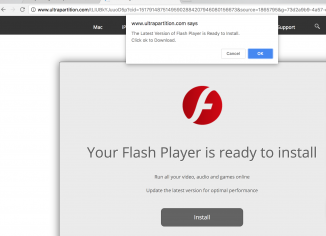
    Ultrapartition.com fake Flash Player update alert (removal help).

    Ultrapartition.com sudden alerts you have encountered in your browser recently are related to distribution of many scary notifications through many popular browsers. The aim of such pop-ups is to infect your system (both Windows and Mac) with a lot of other totally useless utilities, most likely fairly classified as adware, browser hijackers, fake system optimization tools and other potentially unwanted applications you definitely do not want. Furthermore, installing these programs which might be suggested by ultrapartition.com pop-ups typically harms your computer in general, both its hardware and software components.

  • Malicious sites

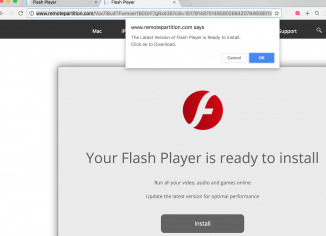
    Remotepartition.com fake Flash Player update (removal guide).

    Remotepartition.com sudden alerts you have encountered in your browser recently are related to distribution of many scary notifications through many popular browsers. The aim of such pop-ups is to infect your system (both Windows and Mac) with a lot of other totally useless utilities, most likely fairly classified as adware, browser hijackers, fake system optimization tools and other potentially unwanted applications you definitely do not want. Furthermore, installing these programs which might be suggested by remotepartition.com pop-ups typically harms your computer in general, both its hardware and software components.

  • Malicious sites

    How to fix g-search.pro redirection and delete g-search.pro notifications?

    G-search.pro pop-up windows may unexpectedly appear in your browser. Notice that permanent appearance of such pop-up windows is truly a bad sign for your computer. This fact proves that your computer, either you use Windows or Mac, is infected with adware. The problem is that many computer owners currently find it very difficult to locate this particular adware in their systems. You may check the list of all installed programs in your system, however, most likely you will not find anything that is suspicious. Even if you do manage to find some unwanted program and get rid of it in…

  • Malicious sites

    How to delete special-news.online push notifications effectively?

    Special-news.online pop-up windows may unexpectedly appear in your browser. Notice that permanent appearance of such pop-up windows is truly a bad sign for your computer. This fact proves that your computer, either you use Windows or Mac, is infected with adware. The problem is that many computer owners currently find it very difficult to locate this particular adware in their systems. You may check the list of all installed programs in your system, however, most likely you will not find anything that is suspicious. Even if you do manage to find some unwanted program and get rid of it in…

  • Malicious sites

    Searchnewworld.com redirection in browser – how to fix?

    Searchnewworld.com stands for a new very dangerous site that may repeatedly cause numerous unwanted browser redirection issues for your system. You will be fed up to regularly encounter searchnewworld.com pop-ups. Furthermore, they will essentially slow down the work of your computer, being the result of certain adware enabled currently in your system. What we advise you to do right now is to thoroughly follow this article below that explains the steps you need to implement to fix your computer in an automatic way, since it definitely requires to be immediately fixed. Please refer to this removal solution set forth below.