• Malicious sites

    Guide to get rid of special-offers.online pop-up alerts completely.

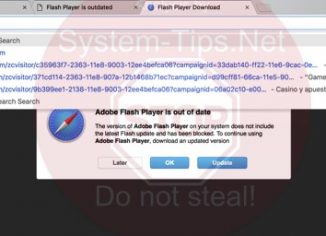
    Currently there is a serious computer-related problem that is caused by presence of special-offers.online pop-ups through all widely used browsers, including Google Chrome, Mozilla Firefox, Internet Explorer and Microsoft Edge. By the way, Safari in Mac OS X is not an exception and can be messed up too. The main purpose of special-offers.online pop-ups is to cause many unwanted browser redirection issues to plenty of random sites. As a consequence of such many repeated redirections the computer may become infected with many other dangerous samples of various potentially unwanted utilities. In the light of this information, you’re strongly advised to…

  • Malicious sites

    How to get rid of fergussonian.com/base pop-up redirect alerts?

    This article will give you information about removal of fergussonian.com/base pop-up windows from your browser which got lately troubled by adware. As a result of this adware now enabled you keep facing the multitude of fergussonian.com/base pop-ups everywhere that keep redirecting your attention to the multitude of other sites on the web. In fact, this is the goal of such alerts – to forward you to plenty of malicious sites. Hence, please carefully follow this tutorial below that explains all the steps you need to make to get your system fixed and repaired.

  • Malicious sites

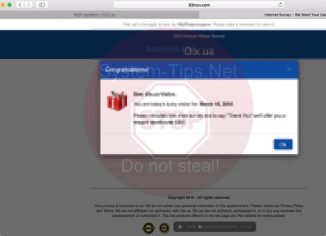
    83inzv.com Internet Survey alerts – how to remove completely?

    83inzv.com pop-up windows are quite active in attacking many computers today. The goal of all these pop-ups is to persuade you to share some of your personal information through forcing you to participate in various pseudo surveys. As a reward for you to complete such surveys, you’re promised by the pop-up to be rewarded in certain way, such as a chance to win iPhone X or something like that. In either case, you’re strongly recommended by us not to be involved in such surveys, since this is a trap for you. As we’ve mentioned above, hackers are simply trying to…

  • Malicious sites

    Onclickbright.com redirect malware – how to delete?

    Onclickbright.com stands for a very dangerous domain name currently involved in causing repeated browser redirection issues to many third-party sites of very bad reputation. Note that such pop-ups could occur with all widely used browsers, both in Windows and Mac operating systems. It’s very important that you do not tolerate such alerts but rather carefully follow this direct tutorial that explains all the steps you need to implement to get your system fixed.

  • Malicious sites

    Top.juegos-online.info game notifications (instructions to block).

    Top.juegos-online.info pop-up windows are currently attacking many computers that are infected by adware today. Sadly, many people find it very difficult to get rid of this adware. They start looking into the list of legally installed programs and do not find anything that is suspicious. Likewise, disabling and deleting suspicious extensions from browser doesn’t help to fully eliminate these pop-ups and other problems. Following this guide will help you to fix the system in an effective way and to get rid of all adware remnants from your system.

  • Malicious sites

    Adgatetraffic.com redirect malware (removal tutorial).

    Adgatetraffic.com pop-up windows may unexpectedly appear in your browser. Notice that permanent appearance of such pop-up windows is truly a bad sign for your computer. This fact proves that your computer, either you use Windows or Mac, is infected with adware. The problem is that many computer owners currently find it very difficult to locate this particular adware in their systems. You may check the list of all installed programs in your system, however, most likely you will not find anything that is suspicious. Even if you do manage to find some unwanted program and get rid of it in…

  • Malicious sites

    Usd.bravo-dog.com redirect malware (removal tools).

    Usd.bravo-dog.com is a dangerous domain that is today actively involved in causing numerous repeated redirection issues. These troubles, by the way, may easily occur in all popular browsers today, including Google Chrome, Opera, Mozilla Firefox, Internet Explorer and Microsoft Edge. It’s quite likely that other browsers may become vulnerable as well. It’s very important that now you do not tolerate such pop-ups but rather carefully follow this step-by-step guide provided below that explains how exactly to fix your system in an automatic way.

  • Malicious sites

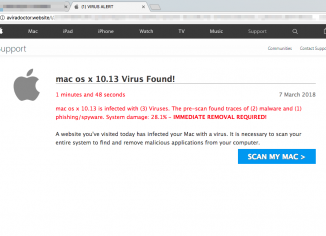
    Aviradoctor.website (1) Virus Alert scam – how to remove?

    Aviradoctor.website is a site that is not related to Avira company and their software. Sadly, hackers simply manipulate this name and use it as a way to mislead people on the web. Aviradoctor.website is a pop-up that currently attacks all popular browsers with the scary message saying that the computer is full of malware and various infections. Then the pop-up tells users to download some totally useless software that is absolutely not able to render any decent services. Hence, we strongly advise you to continue reading this guide explaining how to fix your system in an automatic way.

  • Malicious sites

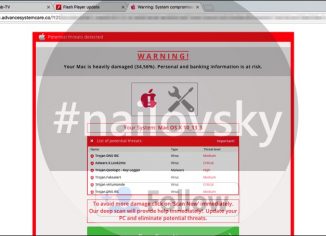
    Mac.advancesystemcare.co ‘Warning: System Compromised’ scam removal.

    Mac.advancesystemcare.co pop-ups appear when your Mac is infected with certain adware. The purpose of all adware is to trick you wasting your money, without rendering any decent products or services. Sometimes adware is in charge or producing various intrusive pop-up ads leading to dangerous web sites. In many cases adware uses scary techniques to trick users through fake technical support or custom service pop-up scam. Fake alerts from mac.advancesystemcare.co web site are the example of such scam.

  • Malicious sites

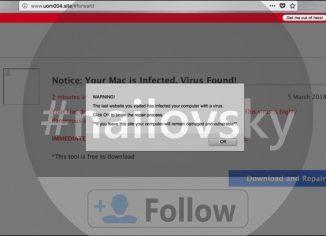
    Uom004.site scary alerts – how to delete?

    Uom004.site stands for a new very scary notification which some users may suddenly see in their browsers. Truly, this is a problem, since the wide range of browsers are simply blocked and users cannot do anything with them. The problem with uom004.site pop-ups is the fact that they’re caused by certain adware currently installed and active in your workstation. We strongly advise that you continue reading this guide that thoroughly explains the steps you need to perform to properly fix your system in an automatic way.