• Malicious sites

    Alingtonec.top web push notifications (removal instructions).

    Alingtonec.top is an extremely dangerous page that tries to permanently attack your browser with the feature of excessive web push notifications. The attack by alingtonec.top becomes even more aggressive after the people mistakenly click on the “Allow” button as suggested by these pop-ups. Of course, you should stay away from doing so. However, some customers have mistakenly done that, this is exactly how their browser got hijacked and infected. Follow this guide for more details on how to properly fix your browser in an automatic manner.

  • Malicious sites

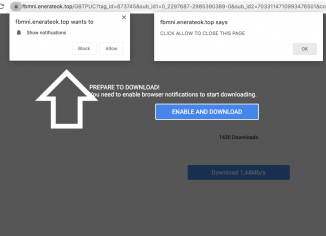
    Enerateok.top push notifications – how to delete?

    Enerateok.top is an adware-type application that targets the majority of popular browsers right now. It specifically attacks Google Chrome, Mozilla Firefox, even though other browsers are not immune. The mission of enerateok.top is to redirect your browser to the variety of junk websites. For instance, enerateok.top pop-ups are used to display uncontrolled web push notifications. For this purpose, enerateok.top tries to make you click on the “Allow” button. However, doing so is obviously a very serious mistake that leads to many problems. Follow this guide for more details on how to fix your workstation effectively.

  • Malicious sites

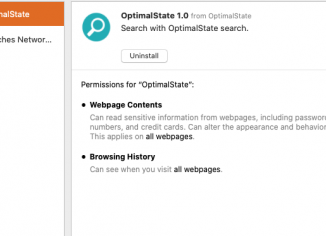
    OptimalState adware on Mac (Removal Instructions).

    OptimalState is a new adware-type application designed specifically to target Mac computers. Once the intrusion of the program is successful, the OptimalState changes a lot of important browser settings in order to display the variety of its uncontrolled advertisment banners, deals, coupons, discounts and so on. Even though initially it might look like the OptimalState tries to help you save more money from your online shopping, it is absolutely clear that its real purposes are absolutely opposite. This guide will give you more instructions about the danger of OptimalState and ways of its effective elimination.

  • Malicious sites

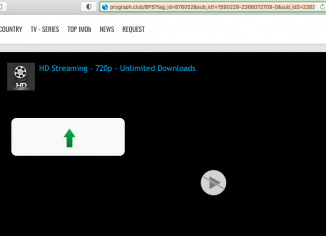
    How to remove prograph.club push notifications?

    Pop-ups by prograph.club may affect the majority of popular browsers today, such as Google Chrome, Mozilla Firefox, Internet Explorer and so on. The danger of these pop-ups lies in their interconnection with many dangerous resources in the Internet. For example, you may end up facing your computer to end up on sites that promote rogue security programs, fake system optimization tools, etc. Of course, you ought to be careful to get rid of the prograph.club pop-ups as soon as possible. Following this guide will help you to get rid of these alerts effectively.

  • Malicious sites

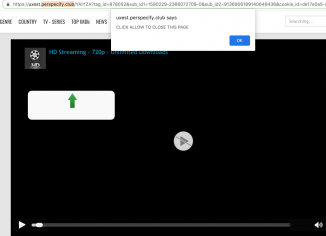
    Perspecify.club push notifications (removal solution).

    Perspecify.club is an extremely dangerous site that shows multiple repeated web push notifications. It may eventually hijack your Google Chrome, Mozilla Firefox and other popular browsers. Perspecify.club tries to force you into clicking on the “Allow” button to enable uncontrolled web push notifications. Follow this guide for more details on how to fix your system effectively.

  • Malicious sites

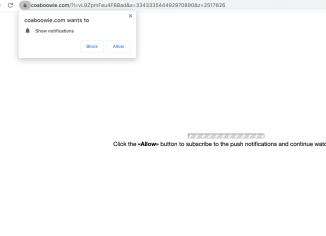
    Coaboowie.com pop-up ads – how to remove?

    Coaboowie.com stands for an extremely dangerous site showing the variety of web push notifications. For instance, it tries to make you click on the “Allow” button supposedly to verify your age or to prove that you’re not a robot. In reality, doing so is a very serious mistake. When the “Allow” button is clicked, the users start facing a lot of unwanted ads that are randomly attacking the screen.

  • Malicious sites

    Usd.theodorus-flo.com redirect virus – how to remove?

    Usd.theodorus-flo.com is a redirect virus attacking many browsers right now. It is interconnected with many advertising agencies that try to promote a lot of suspicious sites that represent danger for your system. The fact that Usd.theodorus-flo.com pop-ups do appear in your screen could be the evidence of certain adware to be currently enabled in your system. Because of the usd.theodorus-flo.com pop-ups, the system may be functioning in a very unstable manner. For instance, you may periodically experience system slowdown and freezing. Also, redirections by Usd.theodorus-flo.com may lead you to many dangerous resources on the web and result in further damage…

  • Malicious sites

    How to remove yourtopnews.com notifications?

    If you regularly see the yourtopnews.com pop-up windows in your browser, then obviously the computer is contaminated with some adware-type application that could have hijacked your system. The danger of yourtopnews.com is in their interconnection with many dangerous resources in the Internet, to which it tries to forward your browser. The yourtopnews.com pop-up tries to make you click on the “Allow” button, however, this is the trap that leads to the status of browser hijacking. Follow this guide that will help you to remove them effectively.

  • Malicious sites

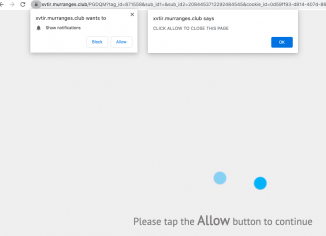
    Murranges.club push notifications – how to delete?

    Murranges.club is a malicious site that shows repeated web push notifications. The danger of murranges.club is that this site is interconnected with many dangerous pages on the web. It may forward the browser to the websites that promotes rogue security programs, adware, fake system optimization tools, etc. The pop-up tries to make you click on the “Allow” button, however, this is a malicious trick that tries to infect your browser. This tutorial will provide you with detailed instructions to get your browser properly fixed.

  • Malicious sites

    Lastmedias.biz push notifications – how to delete?

    Lastmedias.biz is a rogue site that displays the wide range of excessive web push notifications in Google Chrome, Mozilla Firefox and other popular browsers. It is extremely dangerous when the people mistakenly interact with these pop-ups. It may result in serious browser hijacking and unwanted redirections to the random websites of a very bad reputation. In the light of this information, we strongly advise that you follow this guide explaining how to properly fix your workstation in an automatic or manual manner.