• Adware

    How to block Ads by SuperClick adware

    SuperClick_1.10.0.16 is a new adware which attacks many computers today. In many cases it is bundled with other free software users install into their PCs. The problem is that very often many of us fail to be attentive when we deal with free programs. Some of us don’t pay enough attention to what else we’re suggested to make the part of our computers because we’re in a hurry to install the software we’ve decided to install. As a result, we often allow many useless applications to easily become the part of our systems. SuperClick_1.10.0.16 is one of such applications.

  • Adware

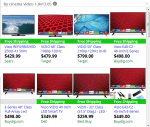
    Ads by Cinema Video 1.8V13.05

    Ads by Cinema Video 1.8V13.05 adware may annoy you greatly, especially when you try to find some important information online. As soon as you go to certain website you will see sudden pop-up delivering Ads by Cinema Video 1.8V13.05 to you. Depending on the date, these advertisements may be titled in a slightly different way, such as Cinema Video 1.8V18.05, Cinema Video 1.8V20.05, etc.

  • Adware

    Pine Tree Ads (removal instructions)

    Following this tutorial will help you to remove Pine Tree Ads, also known as Ads by Pine Tree, from your PC infected by adware. Basically, this program isn’t a virus, but it isn’t a good application either. Its only mission is to display a lot of intrusive ads in your browser and to possibly make you click on them. When you do so, the owners and the distributors of this adware get their profit.

  • Adware

    How to remove Ads by BrowserPro App

    BrowserPro App is a new quite nasty adware. These days it actively attacks all major browsers, including Google Chrome, Opera, Mozilla Firefox and Internet Explorer. Surely, other browsers aren’t an exception. The adware starts displaying its intrusive ads whenever users go online in search for any information. This tutorial is dedicated to help you uninstall this disgusting program from your system in a professional and complete way.

  • Adware

    Ads by Hades (removal solution)

    Hades means “hell” in Hebrew language. Ads by Hades cause real hell in the PCs infected by this particular adware. Today it is actively spread in the Internet and may infect your system too. The problem related to Ads by Hades happens with all major browsers, including Google Chrome, Mozilla Firefox, Opera and Internet Explorer. This adware is extremely severe and is therefore quite stubborn it its attempts to remain in the PC. Many users fail to delete it effectively. No matter what they do to exterminate it, Hades advertisements still pop up.

  • Adware

    Ads by Companion (removal guide)

    Sometimes while you surf the web Ads by Companion may pop up in front of you. The problem is that this will not be just a single occasion. You will see quite a lot of such ads to pop up. This fact will surely not be tolerated by you. Most likely you will come to the conclusion about the need to get rid of this program causing such intrusive advertisements to appear in your PC. Well, in this tutorial we shall help you to fix this serious problem with your browser.

  • Adware

    Guide to remove Ads by PriceMinus

    PriceMinus adware is the direct successor of SalePlus PUP (potentially unwanted program). Millions of active Internet surfers today have discovered that something weird is taking place with their browsers. Wherever they go online, their attention is actively bombarded by intrusive Ads by PriceMinus, Deals brought by PriceMinus, offers and other annoying advertisements powered by PriceMinus. This problem has already become the headache for many people. They try to get rid of these ads by disabling any extensions from their browsers, removing any suspicious applications from their computers in a regular way. Some of them try to reset their browsers using…

  • Adware

    Ads by Primary Color – how to block?

    In this tutorial you will find out how to remove Ads by Primary Color from your computer. In fact, these annoying advertisements are not just your problem. There are many other PCs today infected by exactly the same junk application. When users turn them on hoping to look for some information online, these ads appear out of the blue and start distracting them considerably. Ads by Primary Color adware most likely penetrate into PCs after users download and install some other free applications. Hence, users actually bear personal responsibility for installation of this junk software into their PCs.

  • Adware

    HDtubeV1.6V27.04 Ads. Removal tool

    In this tutorial you may find out how to remove HDtubeV1.6V27.04 Ads from your browser. This adware is nowadays actively attacking all major browsers, including Google Chrome, Mozilla Firefox and Internet Explorer. The adware introduces its own add-on (extension) into all these browsers. Of course, other browsers aren’t an exception and can be contaminated by it too.

  • Adware

    3 easy steps to block Ads by Name

    Ads by Name are caused by some nasty adware in your PC right now. As a result, you will see a lot of these advertisements titled as “brought by Name”, or “powered by Name”. Furthermore, you may as well encounter a lot of sudden pop-up windows in various parts of your screen that will redirect you to various third-party websites of malicious origin. Anyway, these Ads by Name must never be tolerated by you.