• Malicious sites

    Aningthettobetin.info push notifications virus – how to remove?

    Aningthettobetin.info pop-ups may randomly appear in your browser. You will be receiving the multitude of push notifications that will derive from aningthettobetin.info site. This actually means that your browser is now hijacked. All such pop-ups will massively bombard your screen with quite intrusive suggestions to click on them. In the first place, you should not have permitted such pop-up notifications to be enabled. This guide below explains how exactly to disable such push notifications and how to protect your computer from subsequent malware intrusion attempts.

  • Malicious sites

    Peegh1o.com/click redirect trojan removal guidelines.

    Problems with peegh1o.com/click redirections have been noticed to take place with many popular browsers lately. The reason why you now keep facing such a load of pop-ups is because your computer is damaged by adware. This adware, by the way, may be formalized as some standalone program, or as some browser extension, or just as some suspicious process running in the background. We recommend you to be extremely careful when facing such a load of alerts. Do not interact with them. Make sure to carefully follow this tutorial below that explains detailed steps on how to fix your system automatically…

  • Malicious sites

    Uupo.icu redirect trojan removal tutorial.

    Uupo.icu is a redirect infection nowadays attacking Mozilla Firefox browsers. While surfing the web you may encounter some sites that tell about uupo.icu redirections in Google Chrome. However, this is obviously poor knowledge on the part of such site owners. We have personally seen Uupo.icu redirect in Mozilla Firefox and know that it is caused by unwanted add-on in Firefox browser. You may fix the issue either manually (as explained in the video below) or automatically with the help of reliable security software.

  • Malicious sites

    Scab.world fake alert on Mac – how to remove?

    Scab.world sudden alerts you have encountered in your browser recently are related to distribution of many scary notifications through many popular browsers. The aim of such pop-ups is to infect your Mac system with a lot of other totally useless utilities, most likely fairly classified as adware, browser hijackers, fake system optimization tools and other potentially unwanted applications you definitely do not want. Furthermore, installing these programs which might be suggested by scab.world pop-ups typically harms your computer in general, both its hardware and software components.

  • Malicious sites

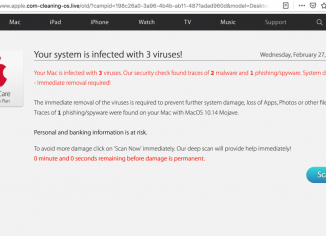
    Apple.com-cleaning-os.live scam removal (Mac).

    Apple.com-cleaning-os.live is a scary pop-up window that may suddenly start bombarding your system with very intrusive alerts that claim that your system is now contaminated with some nasty virus. The reality is that apple.com-cleaning-os.live pop-ups are absolutely fake and not real. The goal of apple.com-cleaning-os.live pop-ups is to convince you to download and install the wide range of malicious applications into your Mac computer. Typically apple.com-cleaning-os.live pop-ups promote different rogue anti-virus applications specifically attacking Mac systems. Please carefully follow this guide that helps you to fix your system in an automatic manner with the help of reliable security software.

  • Browser hijackers - Malicious sites

    Wisss.xyz redirection virus removal tools.

    Wisss.xyz redirections may suddenly come up in your Mozilla Firefox, both in Windows and Mac operating systems. Keep in mind that ongoing appearance of such pop-up alerts is definitely a bad sign for your system. This fact proves that your workstation is contaminated with adware. The trouble is that many computer owners currently find it very difficult to locate this particular adware in their systems. One could check the list of all installed programs in the system, however, most likely he/she will not identify anything that is suspicious. Even if user do manages to find some unwanted application and get…

  • Malicious sites

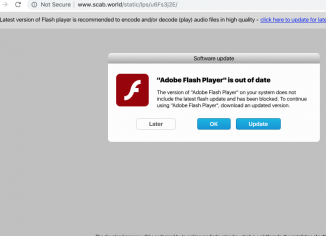
    Atrafficreseller.co fake Adobe Flash Player alert removal.

    Atrafficreseller.co as a pop-up is very malicious because it permanently aims to force you to perform some unwanted update of Adobe Flash Player. The trick is that instead of this pseudo Adobe Flash Player users are actually forced to implement installation of potentially unwanted programs. Be very careful when you see these alerts in your browser. Use this guide to remove them automatically.

  • Malicious sites

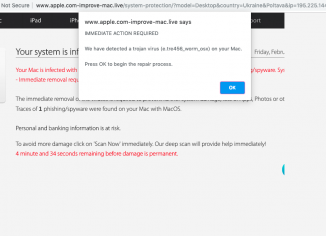
    Apple.com-improve-mac.live scam on Mac – how to remove?

    Apple.com-improve-mac.live is a very scary alert that keeps bombarding your computer with quite misleading pop-ups saying that your computer is infected with some kind of malware. Then apple.com-improve-mac.live pop-ups tell users to download and install some sort of suspicious utility in order to allegedly fix these issues. The truth is that apple.com-improve-mac.live pop-ups are all fake and invented. There are cyber frauds who stand behind them. All they want is to convince you to download and install junk programs into your Mac. Make sure to carefully follow this tutorial below that provides you with ways to fix your system in…

  • Malicious sites

    Bvts.xyz redirect – how to remove?

    Bvts.xyz is a redirect virus that attacks only Mozilla Firefox. If you read some other fake blogs that tell you about bvts.xyz to be the problem for Google Chrome, then obviously such blog authors know nothing in malware research. They simply have scraped content from our website and wrote the article by just stealing the result of our own analysis of bvts.xyz problem. Bvts.xyz redirections are the result of unwanted add-on enabled in Mozilla Firefox. This solution will furnish you wiht helpful tips to remove this virus from your system.

  • Malicious sites

    Soapk.xyz redirect removal solution.

    Soapk.xyz annoying alerts may unexpectedly come up in your browser, both in Windows and Mac operating systems. Keep in mind that ongoing appearance of such pop-up windows is surely a bad sign for your system. This fact proves that your workstation is infected with adware. The problem is that many computer owners currently find it very difficult to locate this particular adware in their systems. One could check the list of all installed programs in the system, however, most likely he/she will not identify anything that is suspicious. Even if user do manages to find some unwanted application and get…