• Adware

    Remove HorizonLiving adware (Mac).

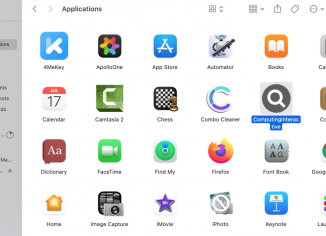
    HorizonLiving adware belongs to the AdLoad family. This particular adware targets only Mac computers and affects all Mac-related browsers – Google Chrome, Safari, Mozilla Firefox and so forth. HorizonLiving adware is very similar to PointAnalytics and other malicious apps from the same AdLoad family.

  • Adware

    PointAnalytics adware removal instructions (Mac).

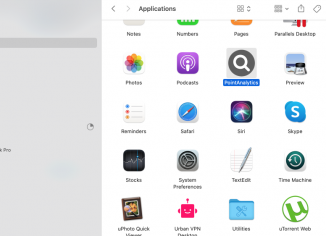
    PointAnalytics is an adware-type application attacking many Mac computers today. This particular adware shows ads not related to the sites that you visit. The adware is spread through integration with many free applications, so people often tend to download and install it unintentionally. This particular adware is from the AdLoad family, which is very similar to TechPartition adware we have written about before.

  • Adware

    TechPartition adware removal guide (Mac).

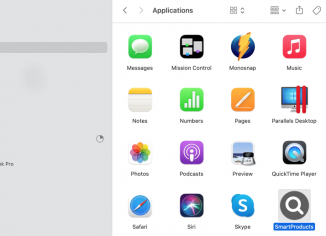
    TechPartition stands for a new adware-type app elaborated solely to target Mac computers. Once the intrusion of the app is successful, the TechPartition amends a lot of crucial browser settings in order to show the variety of its uncontrolled advertisement banners, deals, coupons, discounts and so on. Even if initially it might look like the TechPartition tries to help you save more money from your online shopping, it is absolutely clear that its real purposes are absolutely opposite. This tutorial will give you more instructions about the danger of TechPartition and ways of its effective elimination.

  • Browser hijackers

    Remove Pick Dark Chrome extension (hijacker).

    Pick Dark is an unwanted extension for the Google Chrome browser. Currently, this extension is spread through fake and misleading pop-ups encouraging people to download and install some crucial browser updates. However, in reality, dealing with such extensions may hijack a lot of crucial browser settings and cause unwanted browser redirections to random websites.

  • Malicious sites

    +1(833)632 2604 fake Windows Support Scam removal.

    +1(833)632 2604 is a fake Windows Support number used in several fake Microsoft Support alerts. These are fake alerts that try to make customers scared about the condition of their computers. Then these pop-ups try to make people download and install some potentially unwanted software, which may infect the system even more dramatically. Hence, you should not trust these fake Windows Support alerts! The phone number +1(833)632 2604 is not a real Microsoft Support number.

  • Adware

    SolveCenter adware removal instructions (Mac).

    SolveCenter is a new adware-type application designed specifically to target Mac computers. Once the intrusion of the program is successful, the SolveCenter changes a lot of important browser settings in order to display the variety of its uncontrolled advertisement banners, deals, coupons, discounts and so on. Even though initially it might look like the SolveCenter tries to help you save more money from your online shopping, it is absolutely clear that its real purposes are absolutely opposite. This guide will give you more instructions about the danger of SolveCenter and ways of its effective elimination.

  • Malicious sites

    How to remove bruperchrophone.com web push notifications?

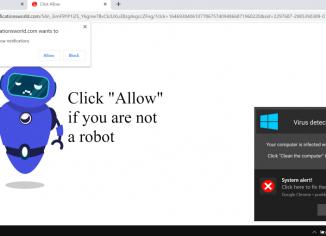
    Bruperchrophone.com is a dangerous site that attempts to infect your browser with the feature of permanent and very annoying ads in the form of web push notifications. The site tries to make people click on the special “Allow” button. It says that this is for the purpose of proving that you’re a human and not a robot. In reality, clicking on the “Allow” button would immediately hijack the browser. We recommend you to follow this guide that explains how to fix your system effectively.

  • Malicious sites

    Brainychoose-captcha.top pop-up ads (removal solution).

    Brainychoose-captcha.top is a deceptive site displaying the multitude of push notifications whenever you browse the web. This is extremely dangerous for people to interact with the brainychoose-captcha.top pop-up windows. These pop-ups try to make you click on the “Allow” button in order to make you see the wide range of annoying web push notifications. If you do that by mistake, the browser may be hijacked and infected. We recommend you to follow this guide for more details on how to fix your system.