• Adware

    Remove Plus-HD-V1.1 Ads and Deals

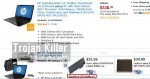
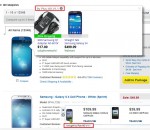
    Plus-HD-V1.1 is the name of a new adware program. Also, you could see some similar adware programs, such as Plus-HD-V1.2, Plus-HD-V1.3, Plus-HD-V1.4, Plus-HD-V1.5 and Plus-HD-V1.6, etc. These days such annoying programs may attack your PC and your browser, and thus cause the multitude of annoying ads to come up in your browser. Mainly these Plus-HD-V1.1 ads and deals will appear when users visit commercial websites, such as Walmart, Amazon, Ebay, Bestbuy, etc. These ads and deals will be mainly displayed in the right-bottom part of such visited websites. In this guide we will help you to get rid of this…

  • Adware

    PriceChop Ads – how to stop them?

    In this guide we have a challenge to help our readers remove PriceChop Ads, pop-up the adware as a whole. This is a truly very annoying and extremely dangerous potentially unwanted application currently attacking the majority of browsers. The problems related to PriceChop ads popping up mainly take place as a result of users installing some other free programs, which are generally bundled with all kinds of extras, such as adware, browser hijackers, fake system optimizers, etc. PriceChop adware is one of such unwanted extras which users surely do not need, yet their failure to be attentive while installing free…

  • Adware

    Removal of Ads by E-shop (adware)

    The mission of this article is to help you to remove Ads by E-shop from your computer infected by this adware. Note that this is a very annoying potentially unwanted software that is actively distributed today along with many other free applications. You must be very careful when you decide to bring them into your system. You should never permit any concealed installations to occur on your PC without your knowledge or intention to use them. By doing so you will manage to avoid Eshop adware and similar potentially unwanted and useless programs from being installed into your workstation without…

  • Adware

    Fast Start – how to remove it from Mozilla Firefox?

    Mozilla Firefox browser in case of being attacked by certain browser hijackers may be additionally burdened by Fast Start – the add-on which users surely do not need. Typically, the home page of Mozilla Firefox will not display Fast Start. However, opening every new search tab will reveal it to you. Many users don’t like the fact of this PUP (potentially unwanted program) to be the part of this browser, so they would like to remove it. Yet, they don’t know how to do it effectively. This guide is about removal of Fast Start manually.

  • Adware

    Remove Ads by CosstMinn (adware)

    CosstMinn is a new adware program, and you might see it popping up in your browsers affected by it. This adware is able to convert regular words of a visited website into links. So, when you move the computer mouse towards such words, these CosstMinn Ads will pop up. Typically all such words converted into links will be also highlighted with some colour.

  • Adware

    HD-Quality-v2 Deals – how to remove them?

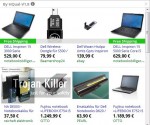
    We’ve see HD-Quality-v2 Deals and Ads to come up when opening Walmart today. Obviously, this is yet another junkware program, which is most often referred to as adware. The adware doesn’t have in mind to help users save more funds. Its only mission is to bring earnings to its developers and owners. Users whose PCs are infected with HD-Quality-v2 are the least happy. They would like to get rid of this adware, but no matter what they do to remove it, these ads and deals brought by HD-Quality-v2 still pop-up.

  • Adware

    Remove Browser-Enabled Online Advertising Support (adware)

    Many active Internet users these days complain that they see some strange Browser-Enabled Online Advertising Support windows popping up in their browsers. This is the problem not just for one particular browsers, but for all those you have installed on your PC. Browser-Enabled Online Advertising Support is the adware currently attacking many PCs. It goes bundled with many other free programs downloaded by users. In this guide we will help you to get rid of this adware from your system.

  • Adware

    Remove Ads by Sense (Uninstall Tutorial)

    You might see some strange Ads by Sense while you surf the web. This actually means that your computer got infected with adware, which now is very active in your system. As a consequence of its installation, you will see many of such ads powered by Sense when you open any websites, not necessarily the commercial ones. In this guide we will help you to understand how to avoid this adware from being brought into your PC, and how to remove Ads by Sense from your system.

  • Adware

    Remove HQual-V1.8 Ads and Deals

    HQual-V1.8 is the adware that will display a lot of deals in front of you when you visit various commercial sites, such as Walmart, Amazon, Ebay, etc. This adware is actively spread these days along with other cost-free programs. So, you definitely need to be very careful when you are just about to install them. You should check whether you install any other junkware, which you definitely do not need. Yet, in case you have already installed HQual-V1.8 adware by mistake, you may use this guide that will help you remove it from your system.

  • Adware

    Remove 247pcrepair.net pop-up windows

    247pcrepair.net pop-up windows in your browser are the result of the adware in your PC. You could actually see such pop-ups simply as a result of clicking some malicious links, but if you see very many of them popping up periodically or regularly, this definitely means that they are powered by adware, which is now a part of your browser. In this guide we will help you to fix this problem with it.