
Tohotweb virus free removal instructions


Is your browser infected with Tohotweb? Do you want to get rid of it for free without paying for any program? Congratulations! You have come to the right place to find the relevant information that will help you to get rid of tohotweb.com from the home pages of Internet Explorer, Google Chrome, Opera, Mozilla Firefox and even Microsoft Edge browsers.
If you want to hurry up and skip the details about Tohotweb hijacker, then simply follow this video guide explaining how to uninstall Tohotweb:
We hope this video guide helped you. But if you cannot apply the recommendations in this video tutorial, it might be handy for you to follow our automatic removal instructions set forth below.
Tohotweb removal menu:
- Recommended software to remove Tohotweb automatically.
- Resetting browser settings after automatic removal of Tohotweb.
- Video explaining how to reset your browsers affected by Tohotweb.
- How to prevent your PC from being reinfected.
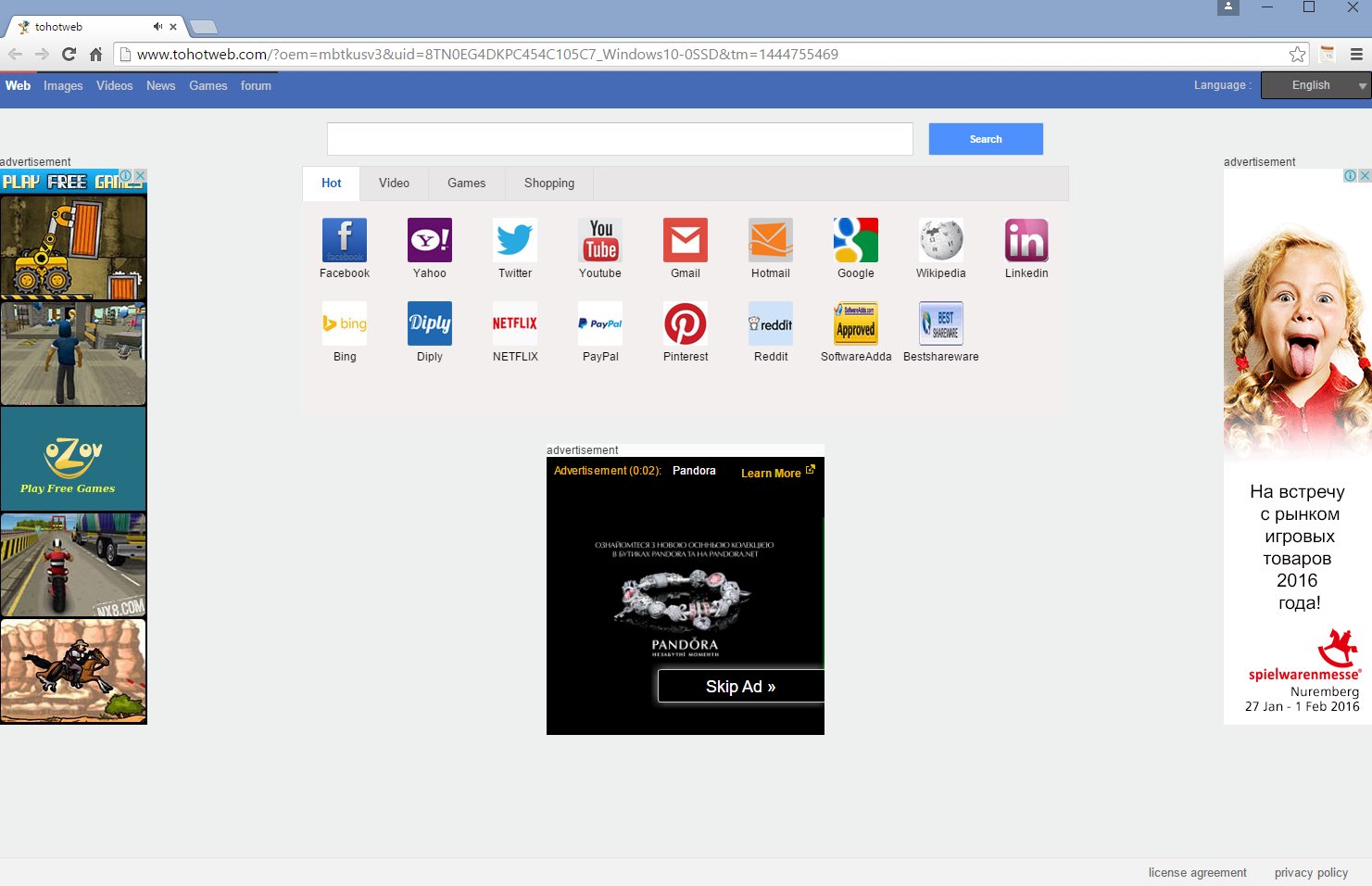
Tohotweb may infect PCs through integration with many other free applications. After the intrusion of this hijacker is implemented successfully, users will see the home page of their browsers to look like this:
The hijacker also is interconnected with the installers of many other applications used by it for self-protection against being removed by users. For example, it may be bundled with IhpmServer.exe (Raydld.exe) program, or SSFK.exe service. When these programs are running you will not be able to easily remove tohotweb.com from the home page of your browser. When you change it back to google.com or some other page, these two and possibly some other related applications will restore Tohotweb again in your browser.
Is there any benefit from using Tohotweb in the first place? Well, we can hardly name any particular good thing about it. Instead of any relevant data, Tohotweb gives you a lot of headache because of intrusive advertisements and sponsored links displayed in the home page of your browser and together with those pseudo search results.
Plus, Tohotweb collects the information about what you are looking for in the Internet. Then this information may be transferred to third parties for various illegal purposes, mainly related to further distribution of adware and other potentially unwanted applications into your system.
To delete Tohotweb automatically you may scan your system with GridinSoft AntiMalware, the proven tool to combat the most serious infections in the web. It is important to reset your browsers with its help, and this step is also explained in all the details below.
Software to get rid of Tohotweb automatically.

Important milestones to delete Tohotweb automatically are as follows:
- Downloading and installing the program.
- Scanning of your PC with it.
- Removal of all infections detected by it (with full registered version).
- Resetting your browser with GridinSoft Trojan Killer.
- Restarting your computer.
Detailed instructions to remove Tohotweb automatically.
- Download GridinSoft Trojan Killer through the download button above.
- Install the program and scan your computer with it.
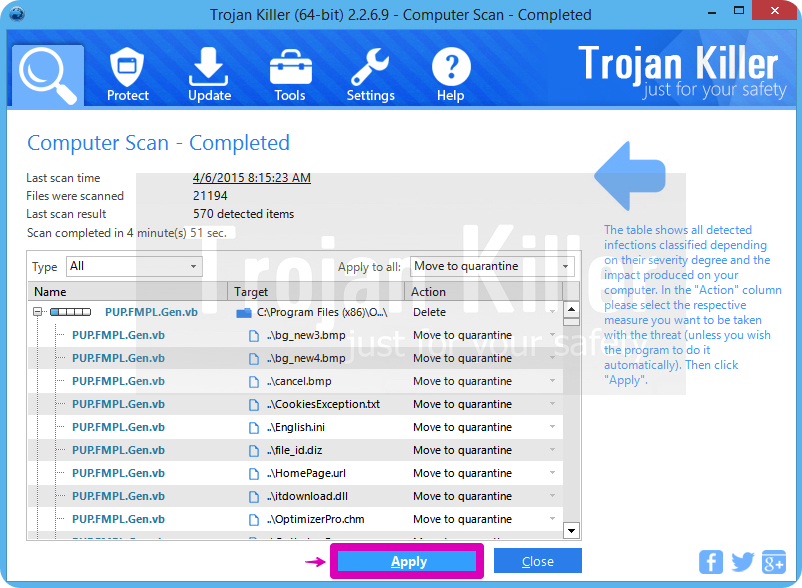
- At the end of scan click “Apply” to remove all infections associated with Tohotweb:
- Important! It is also necessary that you reset your browsers with GridinSoft Trojan Killer after removal of Tohotweb. Shut down all your available browsers now.
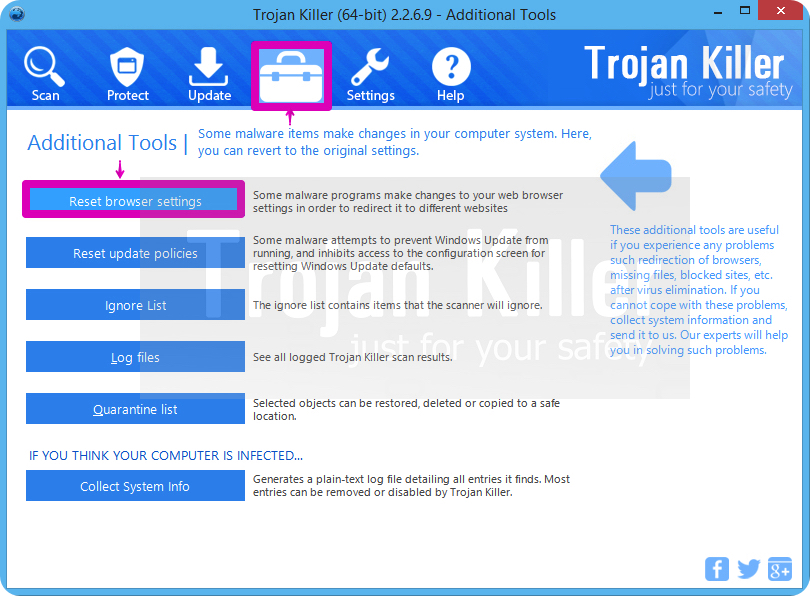
- In GridinSoft Trojan Killer click on “Tools” tab and select “Reset browser settings“:
- Select which particular browsers you want to be reset and choose the reset options.
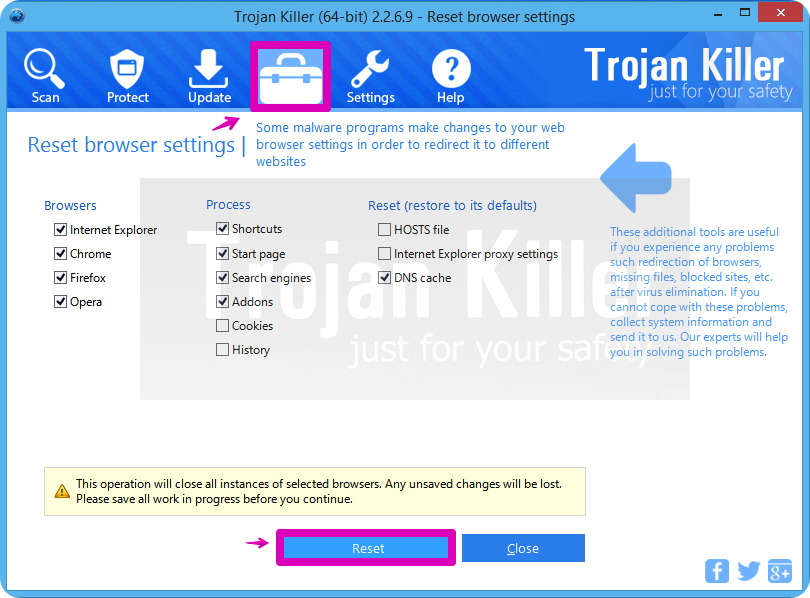
- Click on “Reset” button.
- You will receive the confirmation windows about browser settings reset successfully.
- Reboot your PC now.
Video guide explaining how to reset browsers altogether automatically with GridinSoft Trojan Killer:
How to prevent your PC from being reinfected:
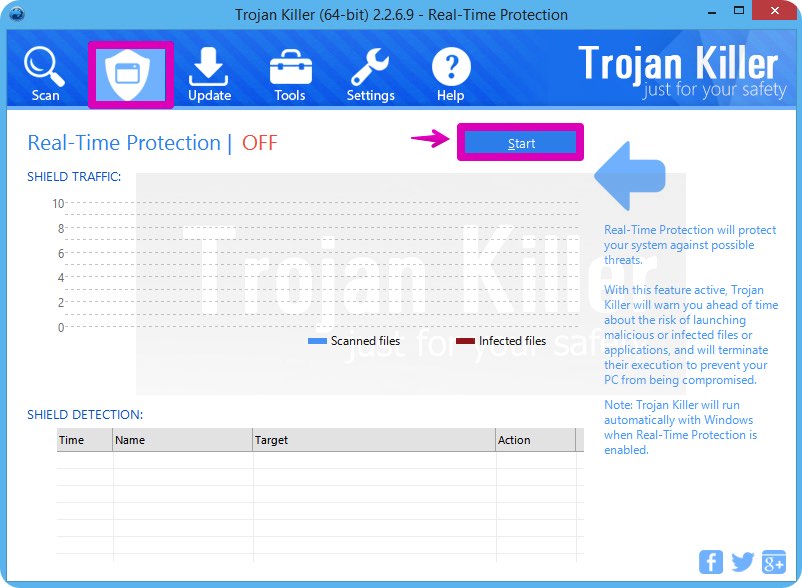
GridinSoft Trojan Killer offers a superb service to prevent malicious programs from being launched in your PC ahead of time. By default, this option is disabled once you install Trojan Killer. To enable the Real-Time Protection mode click on the “Protect” button and hit “Start” as explained below:
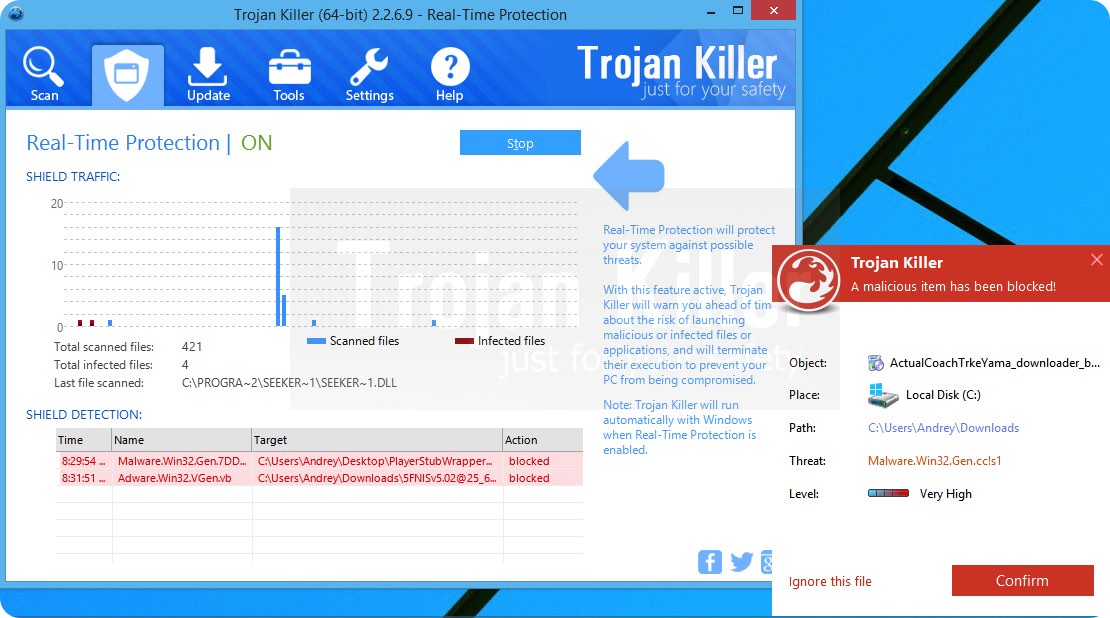
Once this option is enabled, your computer will be protected against all possible malware attacking your PC and attempting to execute (install) itself. You may click on the “Confirm” button to continue blocking this infected file from being executed, or you may ignore this warning and launch this file.
Categories: