• Browser hijackers

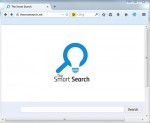
    The Smart Search virus – how to remove?

    The Smart Search browser hijacker isn’t really smart when it comes to furnishing you with any relevant search results. The hijacker actually doesn’t have in mind to assist you in obtaining any decent search results. Its only mission so far is to collect your browsing data and use it for its own purposes, mainly related to distribution of adware which would provide you with some ads relevant to your search queries.

  • Browser hijackers

    Remove www-searching.com hijacker

    The domain www-searching.com is yet another website related to a potentially unwanted program known as browser hijacker. Today it may attack the majority of browsers, such as Google Chrome, Internet Explorer and Mozilla Firefox. In case you see this site www-searching.com in the home page of your browser, then surely something is wrong with it and you need to fix this issue as soon as possible.

  • Browser hijackers

    7searches.org (Searches7) removal guide

    Searches7 is a malicious software fairly classified as browser hijacker. These days it attacks many PCs and infects the majority of browsers, such as Google Chrome, Internet Explorer and Mozilla Firefox. As a result, there are problems of persistent redirections of all user’s queries through 7searches.org domain. This guide is dedicated to effective removal of this disgusting virus from your system.

  • Browser hijackers

    Remove privatelee.com search hijacker

    Privatelee is a browser hijacker, which stands for a special program attacking the majority of browsers today. Once the attack is successful you will see privatelee.com to be set in the home pages of them. Also, your search queries will be permanently redirected through this domain name. When you attempt to look for something through this pseudo search engine you will not obtain any relevant search results.

  • Browser hijackers

    Qozmo virus (Qozmic Search) removal

    Qozmo is a brand new browser hijacker. We’ve recently seen a question posed at Yahoo Answers, where certain user complained about the problem related to Qozmo.net and its permanent appearance in the home page of the affected browser. Well, what exactly do we know about this problem and ways it can be fixed?

  • Browser hijackers

    HPNotify.exe virus – how to remove?

    HPNotify.exe is a new malicious process, which acts basically the same as HpUI.exe. This process is an integral component of SearchProtect PUP (potentially unwanted program), which is installed together with many widely spread browser hijackers today. For example, you may face HPNotify.exe after your browser is hijacked by MyStartSearch, WebsSearches or other hijackers of similar kind. In this guide we will help you to remove HPNotify.exe effectively and, what’s more important, for free.

  • Browser hijackers

    Remove Boggles virus from browser

    Boggles.co displayed in the home page of your browser means that it has been brutally hijacked. Powered by SearchSuggest, this hijacker is distributed among various computers today. The primary attack is directed at Internet Explorer, Google Chrome and Mozilla Firefox browsers. This guide is devoted to automatic and manual removal of Boggles malware from all these browsers.

  • Browser hijackers

    Remove Uninstallmaster virus

    Uninstallmaster is a browser hijacker, which looks basically the same as Delta-Homes. When the attack of it is successful, you will see several amendments made into the settings of your browser. The home page of it will be changed into mystart.uninstallmaster.com. When you try to look for information through your browser you will be suggested to start your search from mystart.uninstallmaster.com page.

  • Browser hijackers

    How to remove search.strtpoint.com from home page?

    In case you see search.strtpoint.com in the home page of your browser, then truly something wrong has happened recently. To be quite fair with you, this means that your browser has been hijacked by search.strtpoint.com, also known as Web Search hijacker. This is what you now see in the home page of your browser and when opening every new search tab. This hijacker has been developed by InstallMac. In this guide we will help you to get rid of it from your PC and your infected browser.